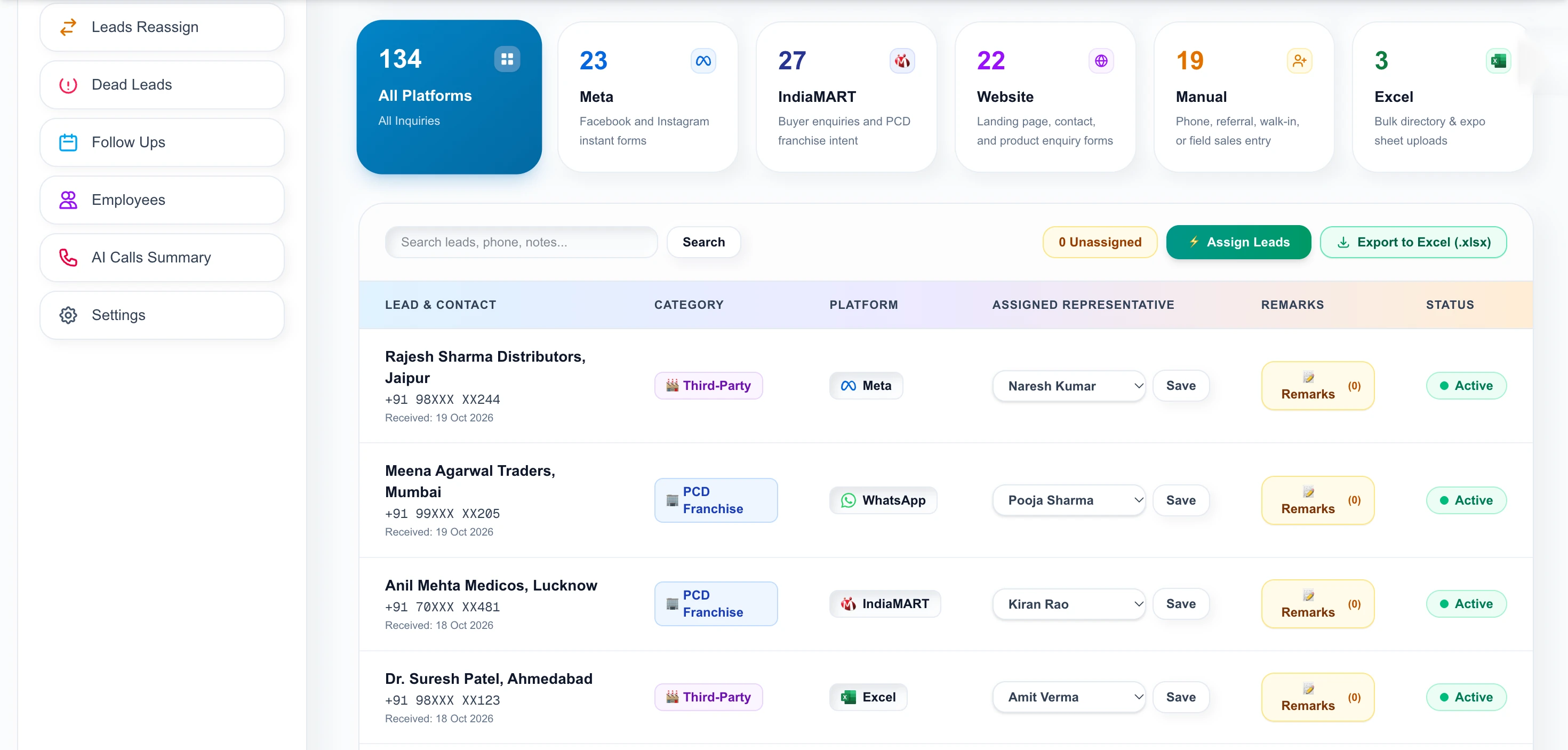
Meta Ads, IndiaMART, your website, manual phone entry and Excel files all feed the same Lead Center. Each source is tagged and can have its own assignment rule.
Multi-source lead capture in Allota AI connects five channels, Meta, IndiaMART, Website, Manual and Excel, into one pipeline. Every lead keeps its source tag, and each source can auto-assign to specific representatives so every enquiry has an owner immediately.
Meta, IndiaMART, website, manual or Excel.
Every lead keeps where it came from.
Choose which reps receive which source.
See which source brings real buyers.
Meta forms go to one person, IndiaMART alerts to a phone, expo sheets sit in Downloads and walk-ins are written on paper.
No one owns the whole list, so leads are worked twice or not at all.
Without a source tag you cannot tell which channel gives real buyers.
Leads wait until someone compiles the list.
Meta Lead Ads and Instagram forms, IndiaMART buyer enquiries, website forms, manual entry for phone and walk-in leads, and bulk Excel or CSV import. All arrive in the Lead Center tagged with their source.
| Source | Status | Inquiries | Auto-assignment |
|---|---|---|---|
| MetaFacebook & Instagram forms | ● Connected | 23 | Assign reps |
| IndiaMARTBuyer enquiries, PCD intent | ● Connected | 27 | 1 rep assigned |
| WebsiteLanding page & contact forms | ● Connected | 22 | Assign reps |
| ManualPhone, referral, walk-in | ● Connected | 57 | Assign reps |
| ExcelDirectory & expo uploads | ● Connected | 3 | Duplicate protection |
Choose which representatives receive which source. IndiaMART enquiries can go to one team and Meta leads to another, so every lead has an owner the moment it arrives.
Twenty minutes, screen shared. We open a real call brief and walk the workspace — no slide deck.
| Separate inboxes | Spreadsheet | Allota AI | |
|---|---|---|---|
| One list of all leads | No | Manual | Yes |
| Source tag | Sometimes | If typed | Automatic |
| Auto-assign | No | No | Per source |
| Duplicates | Common | Common | Phone de-duplication on import |
| Sources | Meta · IndiaMART · Website · Manual · Excel |
| Assignment | Per source, per representative |
| Source tag | Kept on every lead |
| Divisions | PCD Franchise · Third-Party Manufacturing |
Compare sources and spend time where buyers come from.
Every lead is assigned on arrival.
One list, one owner per lead.
Last updated
IndiaMART buyer enquiries go cold fast. A practical process for getting them into one CRM, assigning them to reps and following up within minutes.
Read the guide →Eight practical questions for evaluating a pharma CRM in India, from Hinglish support and PCD territories to ERP fees and where your data lives.
Read the guide →A checklist for following up PCD franchise enquiries: first response, qualifying questions, documents, reminders and when to mark a lead dead.
Read the guide →Tell us your business name and a number. We will call you back, usually the same working day, and show Allota AI on a real call brief.

Workspace access is issued by your organization administrator. Share a few details and we’ll get your team onboarded.
Or pick a time for a demo call →