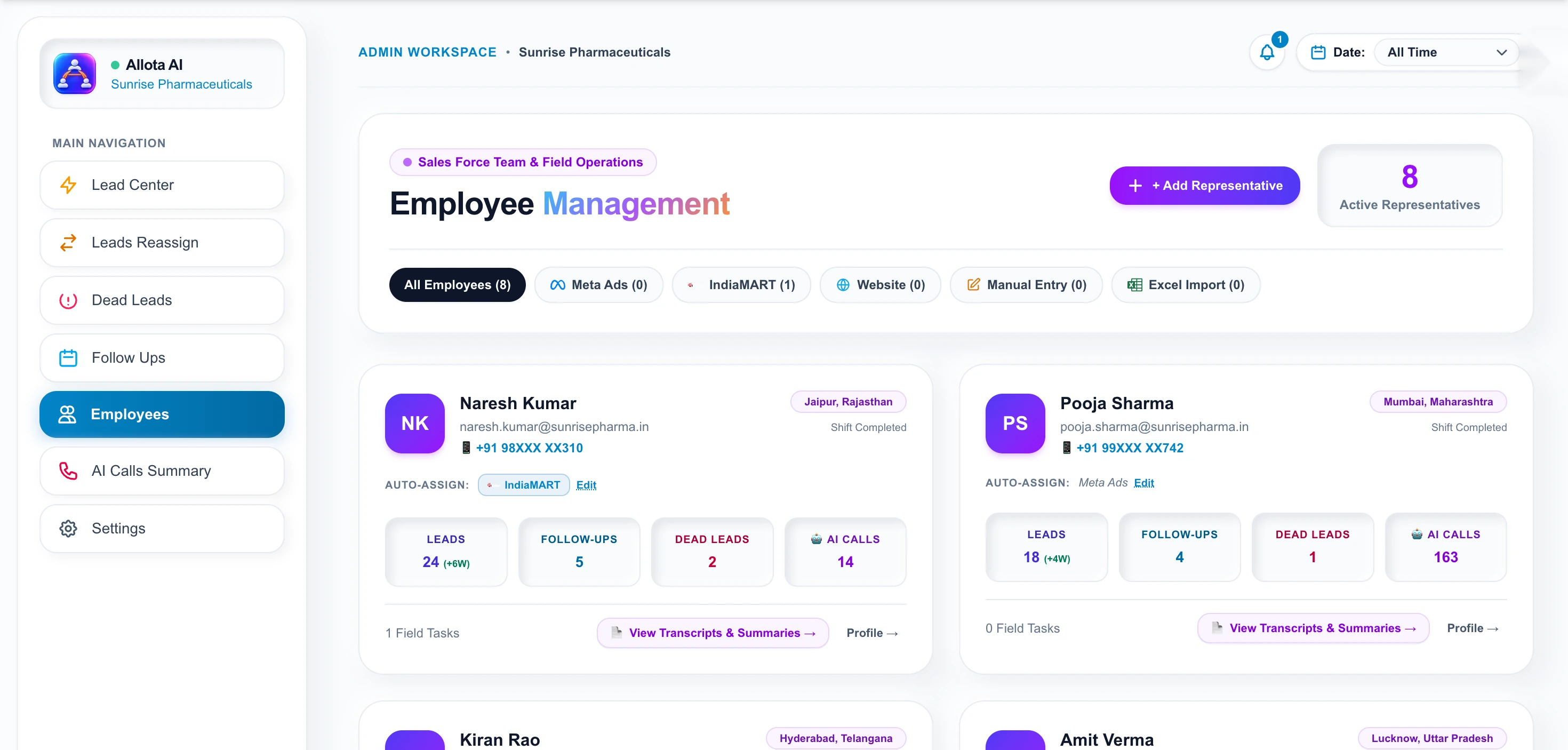
Shift status, call volume, leads held, follow-ups pending and conversion — per representative, from real activity rather than self-reported numbers.
The Employees module shows each representative with their territory, shift status, assigned lead sources and live counts of leads held, follow-ups pending, dead leads and AI-analysed calls. Because the call data comes from actual recordings rather than manual entry, the numbers reflect work done rather than work reported.
Login and logout times are recorded.
Daily call duration and AI-summarised calls.
Leads, follow-ups and dead-lead ratio per rep.
Open transcripts and summaries for any rep.
Twenty minutes, screen shared. We open a real call brief and walk the workspace — no slide deck.
Traditional field reporting asks the representative to record their own day. Allota AI derives it: calls come from recordings, leads from the Lead Center, follow-ups from what was actually scheduled. Nobody fills in a timesheet, and nobody can inflate one.
Each rep can own specific sources. IndiaMART enquiries to the rep who handles franchise conversations, Meta leads to another. Assignment happens at ingestion, so nobody triages a shared queue and leads do not sit unclaimed.
When the match is wrong, Leads Reassign moves them without losing history.
Last updated
A practical guide to choosing a call recording CRM in India: storage, privacy, Hindi support, lead linking and what happens to missed calls.
Read the guide →A checklist for following up PCD franchise enquiries: first response, qualifying questions, documents, reminders and when to mark a lead dead.
Read the guide →Eight practical questions for evaluating a pharma CRM in India, from Hinglish support and PCD territories to ERP fees and where your data lives.
Read the guide →Tell us your business name and a number. We will call you back, usually the same working day, and show Allota AI on a real call brief.

Workspace access is issued by your organization administrator. Share a few details and we’ll get your team onboarded.
Or pick a time for a demo call →